
Business Days Calculator
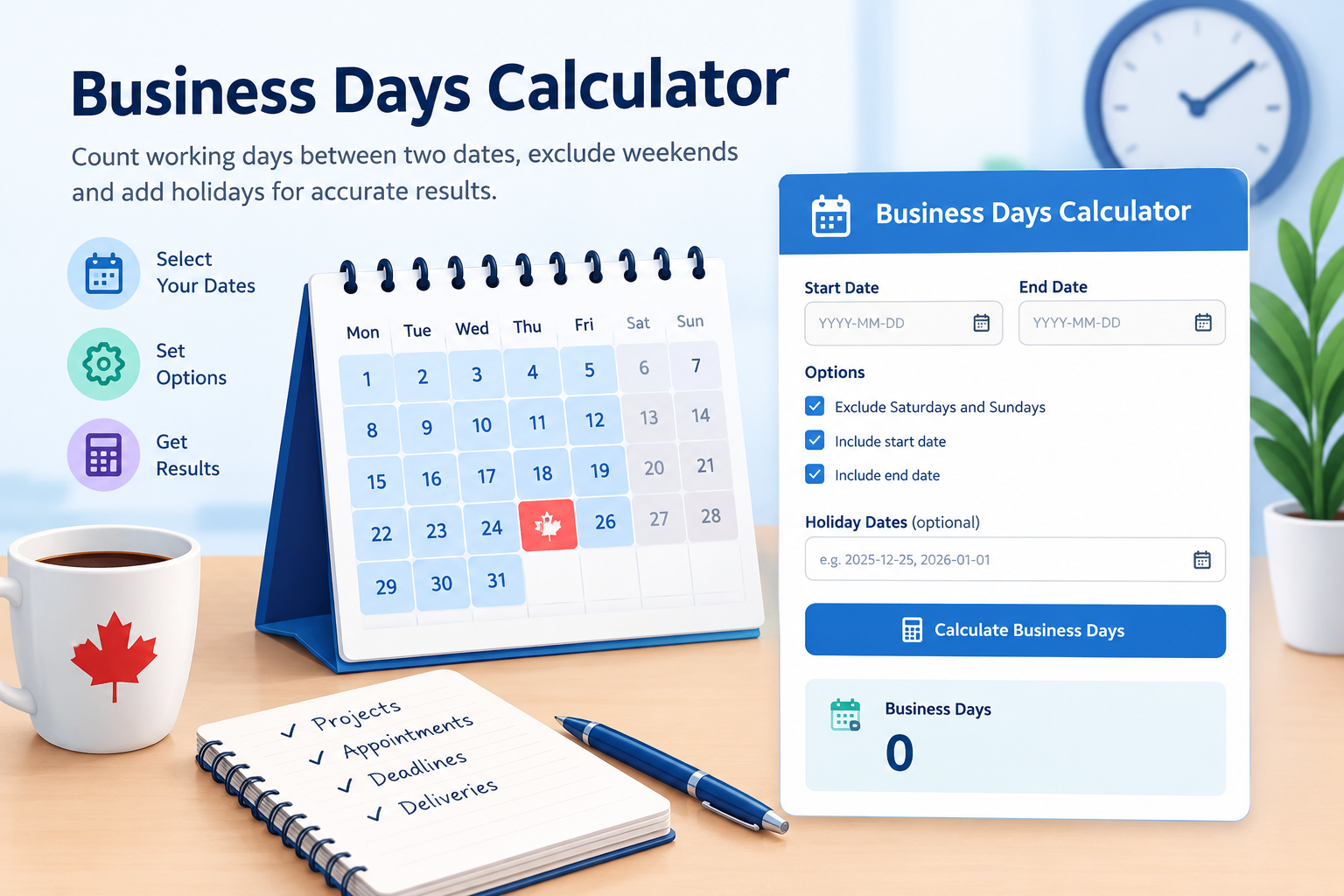
Calculate the number of working days between two dates. Exclude weekends, enter your own holidays, and choose whether to include the start and end dates.
Enter dates in YYYY-MM-DD format, separated by commas or new lines. Holidays are not loaded automatically.
Your Calculation Result
By default, Monday to Friday are treated as business days. Only holidays you enter are excluded. Verify official deadlines separately.
What Is a Business Days Calculator?
A Business Days Calculator is an online date calculator that counts working days between a selected start date and end date. Unlike a calendar-day calculation, it can exclude Saturdays, Sundays and specified holidays to help you estimate the time available for work, deliveries, payments, projects and everyday planning.
In many Canadian workplaces, the standard working week runs from Monday to Friday. However, schedules differ between employers and industries. Public holidays can also vary by province, territory and the purpose for which a date is being counted. This calculator lets you adjust the dates and counting rules to suit your needs.
How to Use the Business Days Calculator
Follow these steps to find the number of business days in your chosen period.
- Select a start date: Choose the first date in the period you want to calculate.
- Select an end date: Choose the final date to include in your calculation.
- Choose your weekend setting: Keep the weekend option checked to exclude Saturdays and Sundays.
- Set the date inclusion options: Choose whether the start date and end date should count when they are otherwise eligible working days.
- Enter holidays: Add applicable holidays in YYYY-MM-DD format, separating multiple dates with commas or new lines.
- Calculate: Click the Calculate Business Days button to see your result and the date breakdown.
Use the Reset button to clear the inputs and start a new calculation. The calculator works with dates in the same year or across multiple years.
How Does a Business Days Calculator Work?
The calculator examines each date in the selected range, including the start and end dates according to your settings. When weekend exclusion is enabled, Saturdays and Sundays are skipped. It also excludes the holiday dates you enter if they would otherwise be counted.
A holiday that falls on a weekend is not deducted twice. The calculation uses calendar dates rather than elapsed hours, so the time of day does not affect the result.
Business Days Calculation Formula
The basic principle is:
Business Days = Eligible Dates − Excluded Weekends − Applicable Holidays
Eligible dates are the dates remaining after applying your start-date and end-date preferences. Weekends are excluded only when that option is selected. Holidays are removed only when their dates are entered and they have not already been excluded as weekends.
Business Days Calculator Example
Suppose you want to count business days from Monday, June 1, 2026, through Friday, June 5, 2026. Both dates are included, weekends are excluded, and no holidays are entered.
- Calendar dates in the period: 5
- Weekend dates: 0
- Entered holidays excluded: 0
- Total business days: 5
Now consider Monday through Sunday of the same week. There are seven calendar days, but only five weekdays. With the default settings and no holidays, the result is five business days.
Business Days vs. Calendar Days
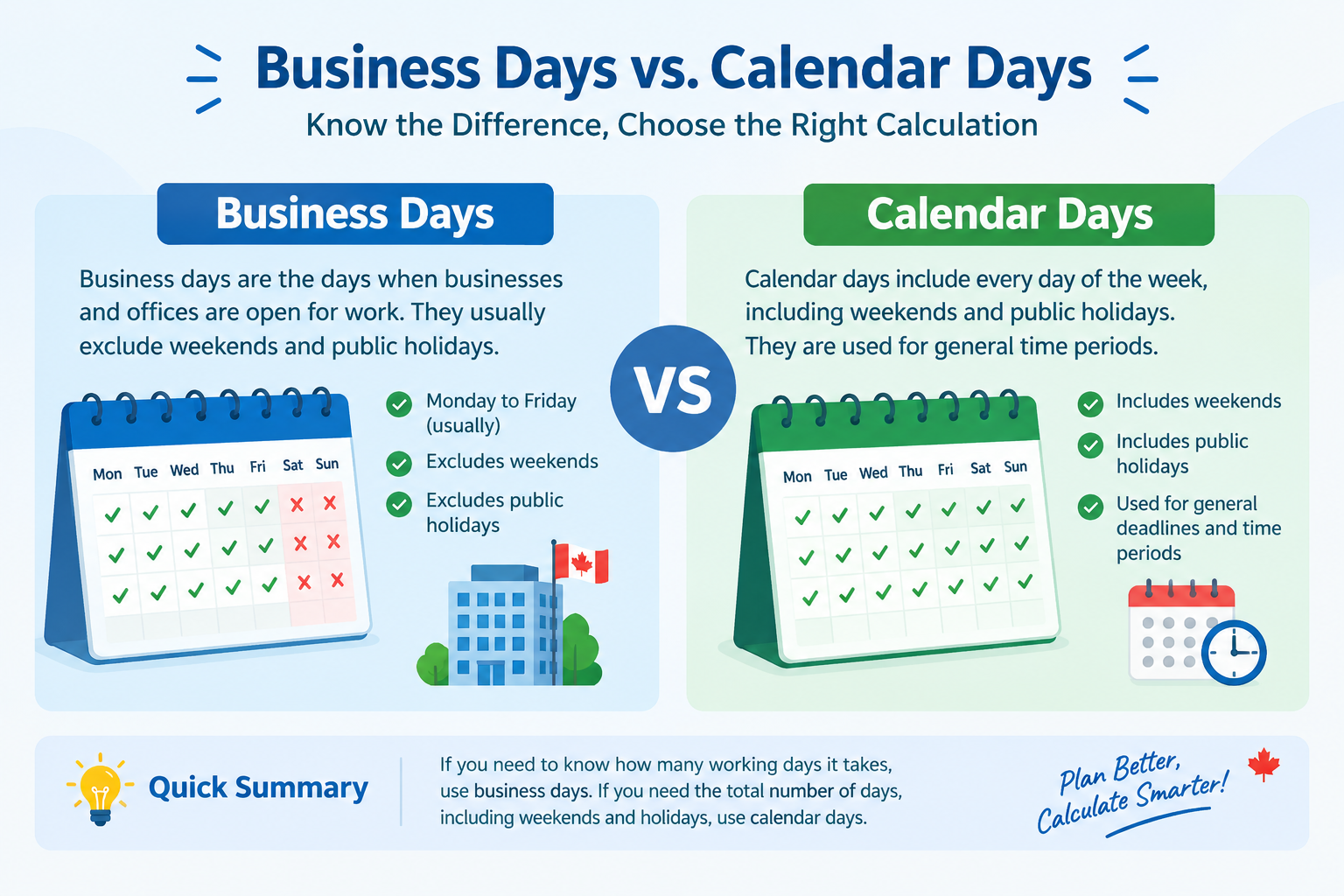
Calendar days include every day of the week, including Saturdays, Sundays and holidays. Business days usually refer to days when an organisation normally operates. A typical Monday-to-Friday business schedule contains five working days in a seven-day week, before applicable holidays are considered.
For example, seven calendar days always represent a full seven-day period. However, the same period will generally contain five weekdays when it runs from Monday through Sunday. If a weekday holiday is excluded, the business-day count may fall to four.
This distinction is important when estimating shipping times, organising projects, planning invoice payments or managing administrative tasks. Five business days and five calendar days are not necessarily the same length of time.
When Should You Use a Business Days Calculator?
1. Project Planning
Estimate the number of working days available to finish a project, prepare a report or reach a milestone. A business-day count can help you create a more realistic schedule by accounting for weekends.
2. Payment and Invoice Planning
Businesses can use working-day estimates to plan invoices, payment follow-ups and administrative processes. Actual payment processing may depend on bank schedules, payment methods and the terms agreed between the parties.
3. Shipping and Delivery Estimates
Delivery services sometimes express transit estimates in business days. This calculator helps count weekdays within a date range, but it cannot confirm a carrier's delivery date or account for every shipping delay.
4. HR and Payroll Administration
Human resources teams may use working-day counts to plan staff schedules, review periods and internal tasks. Leave entitlements, payroll and employment requirements can involve additional rules, so check the relevant workplace policy.
5. Appointments and Administrative Deadlines
Use a business-day count to plan reminders, appointments and routine follow-ups. Court, immigration, government and contractual deadlines may use special rules for counting days. Always confirm official instructions before relying on a calculated date.
Are Canadian Public Holidays Automatically Excluded?
No. This Business Days Calculator does not automatically load Canadian federal, provincial or territorial holiday calendars. To exclude a holiday, enter its date manually in YYYY-MM-DD format.
Holiday schedules can differ by province, territory, employer and type of service. A holiday observed by one organisation may not apply to another. Some deadlines also have specific rules about weekends and holidays, so use the calendar and instructions relevant to your situation.
Tips for Getting an Accurate Business-Day Count
- Check that your start date and end date are correct.
- Decide whether the first and last dates should be included.
- Select the weekend setting that matches your intended work schedule.
- Enter all applicable holidays and workplace closure dates.
- Use the YYYY-MM-DD date format for holiday entries.
- Confirm official counting rules for legal, financial or government deadlines.
- Remember that a working-day count is not a guarantee of when a service will be completed.
Frequently Asked Questions
1. What is a business day?
A business day is a day treated as a normal working day by a business or organisation. Monday through Friday is a common schedule, but workweeks and holiday rules can vary.
2. Does this Business Days Calculator exclude weekends?
Yes. Saturdays and Sundays are excluded by default. Uncheck the weekend option if you want weekend dates to count, subject to the other settings you select.
3. Are Canadian public holidays automatically excluded?
No. You must enter the applicable holiday dates yourself. The calculator does not automatically check federal, provincial or territorial holiday calendars.
4. Should I include the start and end dates?
That depends on the period you are counting. Both options are enabled by default, meaning eligible working days on both dates can count. Follow the relevant rules if you are calculating an official deadline.
5. What is the difference between business days and calendar days?
Calendar days include every day, including weekends. Business days generally exclude weekends and may exclude applicable holidays.
6. Can I use this calculator for an official deadline?
You can use it for a preliminary estimate, but court, immigration, legal and contractual deadlines may follow special counting rules. Verify the official deadline before taking action.
7. What format should I use for holiday dates?
Enter holidays in YYYY-MM-DD format, such as 2026-12-25. Separate multiple dates with commas or put each date on a new line.
8. Can I calculate business days across different years?
Yes. Select a start date and an end date in different years. The calculator counts eligible dates across the entire range using your selected options.
9. Will a holiday that falls on a weekend be counted twice?
No. If weekend exclusion is enabled, a holiday on Saturday or Sunday is already excluded as a weekend date. It will not be deducted a second time.
10. Is the Business Days Calculator free to use?
Yes. You can use this calculator to count business days between dates without creating an account or paying a fee.
Conclusion
Knowing the number of business days between two dates can make planning easier. Whether you are estimating a delivery window, organising a project, planning invoice payments or managing routine office tasks, a working-day count gives you a clearer view of the time available.
The Canada Calculators Business Days Calculator lets you choose your dates, include or exclude the start and end dates, skip weekends and enter applicable holidays. Review your settings before calculating, and verify official deadlines against the rules that apply to your situation.