
Age Calculator Canada
Calculate your exact age in years, months and days. Find your next birthday and total days lived.
Your Exact Age
What Is an Age Calculator?
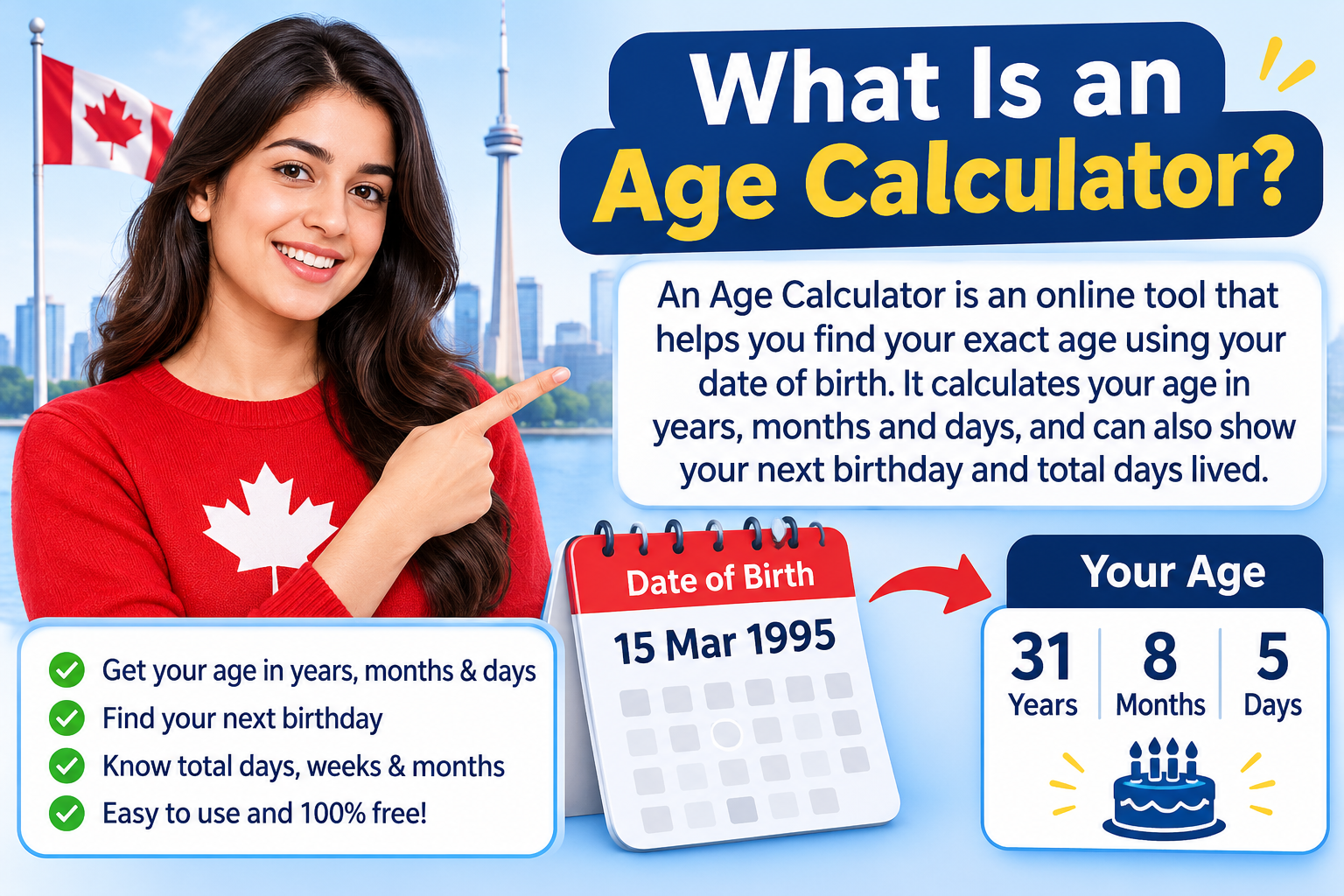
An Age Calculator is an online tool that calculates a person's exact age using their date of birth. Instead of manually counting birthdays or subtracting calendar years, the calculator works out the time between two dates and displays the result in years, months and days.
The Age Calculator Canada on Canada Calculators is designed to make age calculations simple and convenient. Enter your date of birth, select the date on which you want to calculate your age, and click the Calculate Age button. You will receive your age along with additional date information.
You can use today's date to find your current age or select another valid date to check how old you were in the past or how old you will be on a future date.
How to Use the Age Calculator Canada
Calculating your age does not require any complicated formula. Follow these simple steps to get your result.
Step 1: Enter Your Date of Birth
Select your correct birth date in the Date of Birth field. Make sure that the day, month and year are entered correctly. Even a small mistake can change the final result.
Step 2: Select the Calculation Date
The Calculate Age As Of field lets you choose the date for which you want to know your age. It is automatically set to today's date. You can change it to a past or future date whenever needed.
Step 3: Click Calculate Age
After entering both dates, click the Calculate Age button. The calculator will process the information and display your exact age.
Step 4: Check Your Age Results
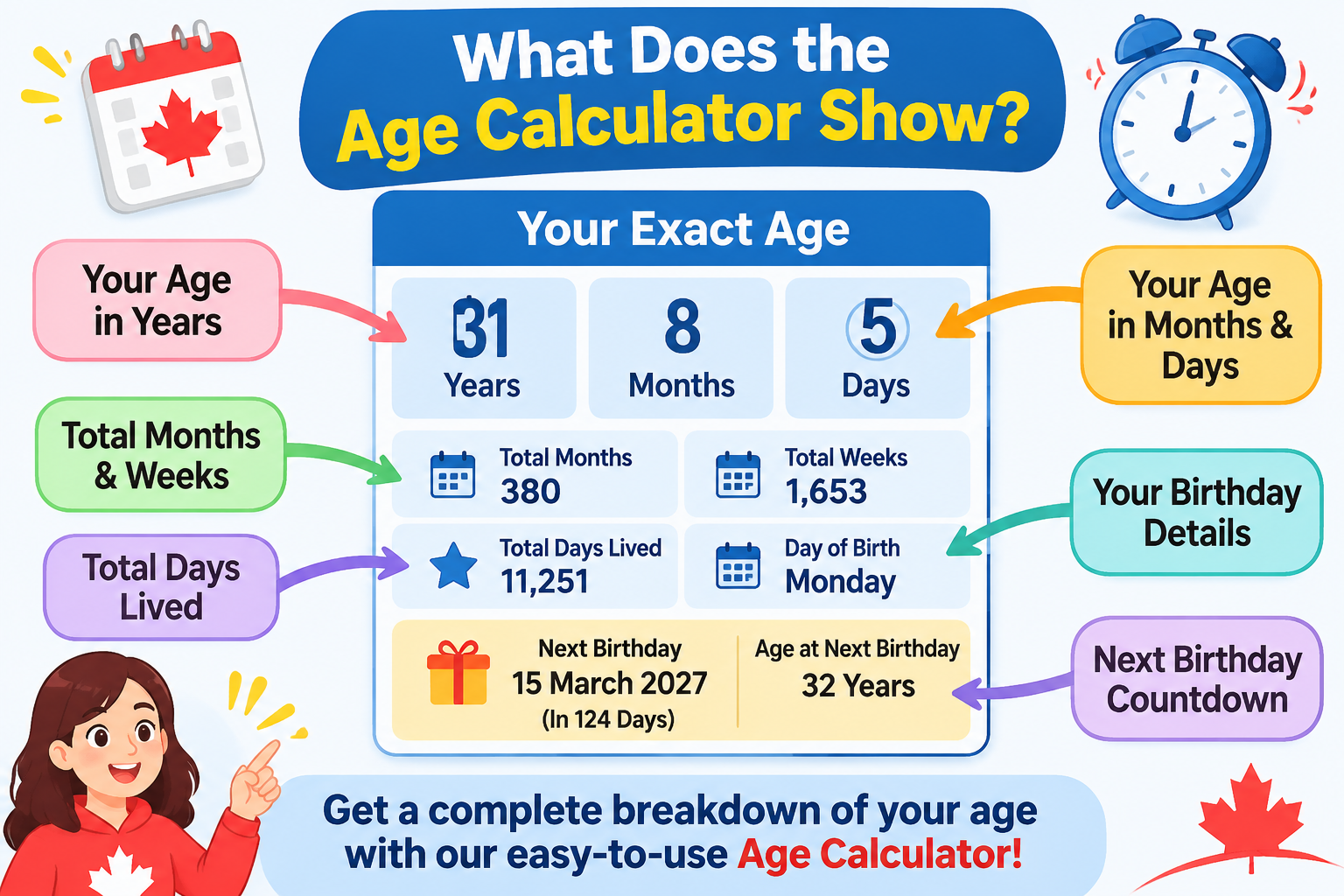
Your result includes completed years, months and remaining days. You will also see total months, weeks, days lived, your birth weekday and information about your next birthday.
Step 5: Reset the Calculator
If you want to calculate another person's age, click Reset. Enter the new date of birth and calculate again.
What Does the Age Calculator Show?
The calculator provides more than just your age in completed years. Each result gives you a different way to understand the time that has passed since your birth.
1. Age in Years
This represents the number of complete years you have lived. For example, if you are 29 years and 10 months old, your completed age is 29 years.
2. Age in Months
The months show the additional complete calendar months after your last birthday. This helps you understand your age more precisely.
3. Remaining Days
These are the days remaining after counting your completed years and months. They complete your exact age calculation.
4. Total Days Lived
This shows the number of calendar days between your date of birth and the selected calculation date. Leap days are included when they fall within the date range.
5. Total Weeks and Months
Total weeks are calculated from the number of complete seven-day periods. Total months represent completed calendar months rather than an estimate based on 30 days per month.
6. Next Birthday
The next birthday section displays the upcoming birthday date and the age you will reach on that birthday. It also shows how many days remain until the occasion.
How Is Age Calculated?
Age is calculated by finding the difference between your date of birth and the date on which you want to know your age. The calculation uses calendar years, calendar months and remaining days rather than treating every year as exactly 365 days.
Basic formula:
Age = Calculation Date − Date of Birth
The calculator counts complete years first, then complete months, and finally the remaining days. This method gives a more useful result than simply subtracting birth years.
Example of an Age Calculation
Suppose someone was born on 15 March 1995 and wants to calculate their age on 20 November 2026.
- Completed years: 31
- Additional complete months: 8
- Remaining days: 5
- Exact age: 31 years, 8 months and 5 days.
Why Are Leap Years Important in Age Calculation?
A normal calendar year has 365 days, while a leap year has 366 days. During a leap year, February has 29 days instead of 28. This additional day affects the total number of days a person has lived.
In the Gregorian calendar, a year is generally a leap year when it is divisible by four. However, century years must also be divisible by 400. For example, 2000 was a leap year, while 1900 was not.
People born on February 29 have a special birthday situation in non-leap years. Depending on personal, organisational or legal conventions, the birthday may be observed on February 28 or March 1. This calculator uses February 28 as its convention for non-leap years. For official eligibility decisions, check the applicable rules.
When Can You Use an Age Calculator?
Personal Age Checking
You can use an age calculator to find your exact age, check your birthday countdown or calculate how many days you have lived.
School and Education
Parents and students may use age calculations when reviewing school admission requirements or age-based program criteria. Always confirm the institution's official cut-off date.
Employment and Applications
Some job applications and professional programs specify minimum or maximum age requirements. An age calculator can help you check your age on the relevant application date.
Retirement Planning
Age information can be useful when planning future retirement milestones. However, eligibility for Canadian retirement benefits depends on specific program requirements, not age alone.
Special Occasions and Milestones
You can also calculate your age on anniversaries, birthdays, family events and other important dates.
Age Calculator vs. Manual Age Calculation
Both methods can provide an age result, but an online calculator saves time and reduces mistakes when handling different month lengths and leap years.
- Manual calculation: Requires subtracting dates and adjusting months and days.
- Online calculation: Automatically processes the selected dates.
- Detailed results: Displays years, months, days and other useful information together.
- Flexible dates: Lets you calculate age on past or future dates.
Important Things to Know About Age Calculation
- Always enter the correct date of birth.
- Age in completed years changes on the birthday, not at the start of a new calendar year.
- February has 28 days in a common year and 29 in a leap year.
- Calendar months have different numbers of days.
- Different systems may use different conventions for February 29 birthdays.
- For Canadian legal, immigration, employment or benefit applications, follow the official definition and reference date provided by the relevant authority.
Frequently Asked Questions (FAQs)
1. How do I calculate my exact age?
Enter your date of birth and select the date on which you want to calculate your age. Click Calculate Age to see your completed years, months and days.
2. Is this Age Calculator Canada free to use?
Yes. The Canada Calculators Age Calculator is free to use. You can calculate your age as many times as needed without paying a fee.
3. Can I calculate my age in years, months and days?
Yes. The calculator displays your exact age in completed years, additional months and remaining days. It also provides total months, weeks and days lived.
4. Can I calculate my age on a past date?
Yes. Change the Calculate Age As Of date to any valid date on or after your birth date. The calculator will show how old you were on that particular day.
5. Can I calculate my future age?
Yes. Select a future date in the calculation date field. The calculator will show your age on that date, provided it is on or after your date of birth.
6. Does the calculator consider leap years?
Yes. It uses actual calendar dates, including February 29 in leap years, when calculating the total number of days.
7. How is age calculated for someone born on February 29?
February 29 occurs only in leap years. For this calculator, birthdays in non-leap years are treated as February 28 for the age and birthday countdown calculation. Official rules may differ.
8. Can I use this calculator for a child's age?
Yes. Enter the child's date of birth to calculate their age in years, months and days. This can be useful for general age checking and milestone tracking.
9. Does the Age Calculator store my date of birth?
The calculator performs its calculations directly in your browser using JavaScript. This calculator code does not send your entered dates to a server.
10. Can I use this calculator for official Canadian applications?
You can use it to check your age, but always follow the official age calculation rules and cut-off dates specified by the Canadian government, organisation or institution handling your application.
Conclusion
Knowing your exact age is useful for more than just keeping track of birthdays. It can help you understand important personal milestones, review school admission age requirements, prepare for employment applications and plan for future life events. However, calculating an accurate age manually can sometimes be confusing because calendar months have different lengths and leap years add an extra day.
The free Age Calculator Canada from Canada Calculators makes this process easier by calculating your age in completed years, months and days. It also provides additional details, including total days lived, total weeks, your birth weekday and the countdown to your next birthday.
Simply enter your date of birth, select a calculation date and click Calculate Age to get your result. Whether you are checking your current age, calculating your age on an earlier date or finding out how old you will be in the future, this online age calculator offers a quick and convenient way to get accurate calendar-based results.