
RREF Group Calculator
Calculate the Reduced Row Echelon Form of a matrix and analyze rank, pivots, free variables, and linear-system solutions.
What Is an RREF Group Calculator?
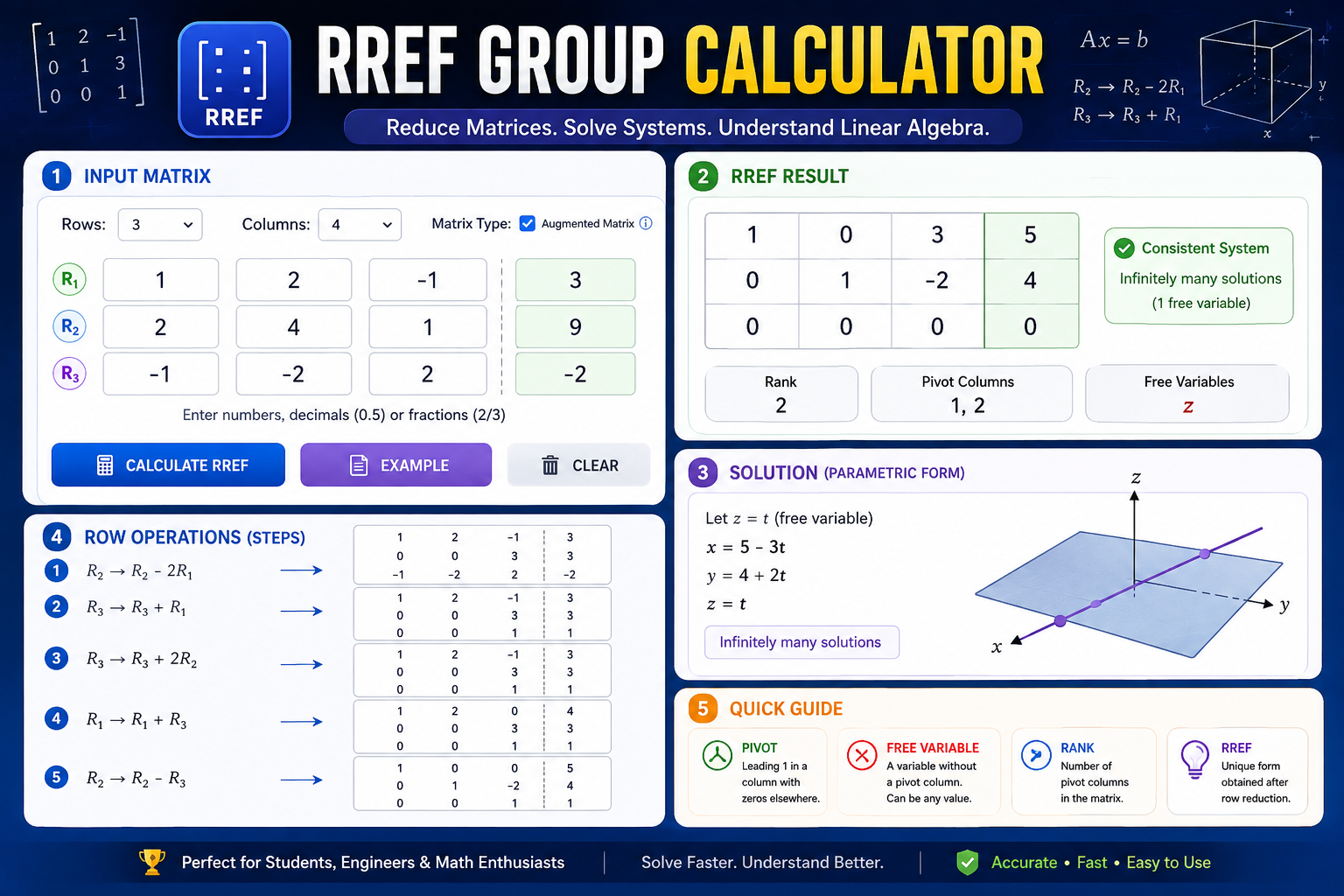
An RREF Group Calculator is an online matrix calculator designed to convert a matrix into its Reduced Row Echelon Form, commonly abbreviated as RREF. It is useful for linear algebra problems involving matrices, systems of linear equations, matrix rank, pivot columns, and free variables.
Reduced Row Echelon Form provides a standardized and simplified representation of a matrix. After a matrix has been reduced, important information about the underlying linear system can often be identified directly from the resulting matrix.
When an augmented matrix is used, RREF can help determine whether a system of linear equations has a unique solution, infinitely many solutions, or no solution.
What Does RREF Mean?
RREF stands for Reduced Row Echelon Form. A matrix is considered to be in reduced row echelon form when it follows several specific conditions.
- Every nonzero row appears above any row containing only zeros.
- The first nonzero entry in every nonzero row is 1.
- Each leading 1 is the only nonzero entry in its column.
- Each leading 1 appears farther to the right than the leading 1 in the row above it.
These properties make RREF useful because the reduced row echelon form of a matrix is unique. Different valid sequences of elementary row operations can produce the same final RREF.
How to Use the RREF Group Calculator
Step 1: Select the Number of Rows
Choose the number of rows in your matrix. This calculator supports matrices containing from 2 through 6 rows.
Step 2: Select the Number of Columns
Select the number of columns required for your problem. The calculator can work with both square and rectangular matrices.
Step 3: Choose Augmented Matrix
If you are solving a system of linear equations and the last column represents the constants, select the Augmented Matrix option. The calculator will treat the final column as the constants column when analyzing the system.
Step 4: Enter Matrix Values
Enter the values into the matrix cells. You can use positive numbers, negative numbers, decimals, and fractions.
Examples include 5, -4, 0.75, 1/2, and -3/4.
Step 5: Calculate RREF
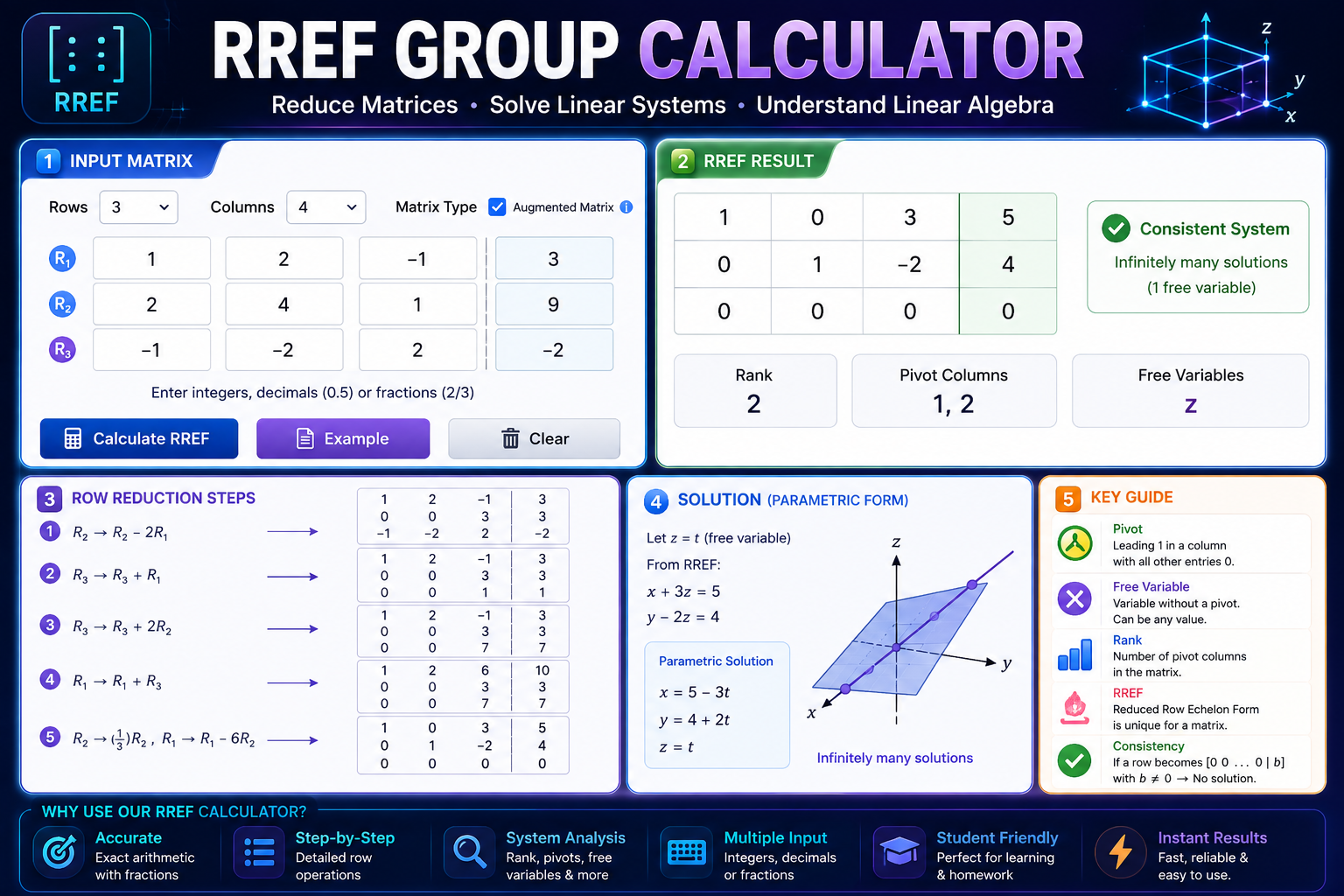
Click Calculate RREF. The calculator performs Gauss-Jordan style row reduction and displays the reduced matrix, rank, pivot columns, free variables, system status, and row-reduction operations.
What Is Row Reduction?
Row reduction is a mathematical process used to transform a matrix into a simpler equivalent matrix. It uses elementary row operations to change the matrix while preserving the solution set of a corresponding system of linear equations.
There are three fundamental elementary row operations:
- Swap two rows.
- Multiply a row by a nonzero constant.
- Add a multiple of one row to another row.
During the reduction process, the calculator searches for pivot positions, changes the pivot into 1, and eliminates other values in the pivot column.
RREF and Gauss-Jordan Elimination
RREF is commonly obtained through Gauss-Jordan elimination. In Gaussian elimination, the process generally stops after reaching row echelon form and back-substitution may then be required.
Gauss-Jordan elimination continues further until each pivot is the only nonzero entry in its column.
Every pivot column contains one leading 1 and zeros everywhere else.
Because of this additional reduction, equations represented by an augmented matrix can often be interpreted directly from the final matrix.
What Is a Pivot in a Matrix?
A pivot is a leading nonzero entry in a row after row reduction. In RREF, a pivot is normally represented by a leading 1.
The columns containing pivots are known as pivot columns. Variables associated with these columns are called basic or pivot variables.
[ 0 1 -2 | 4 ]
In this example, the first and second columns contain pivots. The third variable does not contain a pivot and is therefore a free variable.
What Are Free Variables?
A free variable is a variable whose coefficient column does not contain a pivot.
Free variables are particularly important when a system has infinitely many solutions. A free variable can be represented using a parameter such as t or s, while the pivot variables can be expressed in terms of that parameter.
y - 3z = 4
Here, z can be selected as a free variable. If z = t, then:
y = 4 + 3t
z = t
This gives a parametric representation of the infinitely many solutions.
What Is Matrix Rank?
The rank of a matrix is the number of pivot positions in its RREF. It provides information about the number of linearly independent rows or columns represented by the matrix.
For example, if a matrix contains three pivot columns, its rank is 3. Rank is an important concept in linear algebra because it helps describe the structure and independence of a matrix.
RREF for Solving Systems of Linear Equations
One of the most common uses of RREF is solving a system of linear equations. Multiple equations can be represented as an augmented matrix and then reduced using elementary row operations.
For example, consider the system:
2x + y - z = 3
x - y + z = 4
These equations can be converted into an augmented matrix. The RREF of that matrix provides a systematic way to analyze the values of the variables and the structure of the system.
This approach becomes especially useful when a system contains several equations and variables because it reduces repetitive algebraic calculations.
Unique Solution, Infinite Solutions, or No Solution
When an augmented matrix represents a system of linear equations, its RREF can reveal the type of solution.
Unique Solution
A consistent system has a unique solution when every variable column contains a pivot and there are no free variables.
Infinite Solutions
A consistent system has infinitely many solutions when at least one variable column has no pivot. The corresponding variable becomes a free variable.
No Solution
A system has no solution if its RREF contains a contradictory row such as:
This represents the impossible equation 0 = 1, indicating that the augmented system is inconsistent.
RREF vs REF
RREF and REF are closely related, but they are not the same matrix form.
- REF: Row Echelon Form.
- RREF: Reduced Row Echelon Form.
In REF, entries below pivot positions are zero, while entries above pivots may still be nonzero. In RREF, every pivot is the only nonzero entry in its column.
RREF: Forward elimination + complete pivot-column elimination
Why Use an RREF Calculator?
Manual row reduction can become time-consuming when a matrix has several rows and columns. An RREF calculator can reduce repetitive arithmetic and provide a quick way to verify a manually calculated result.
An RREF calculator can be useful for:
- Linear algebra homework
- Matrix calculations
- Systems of linear equations
- Finding matrix rank
- Identifying pivot columns
- Finding free variables
- Checking system consistency
- Understanding solution structures
- Checking Gauss-Jordan elimination
Using Fractions in RREF Calculations
Matrix calculations frequently produce fractions. Using exact fractional values can make a result easier to compare with a manually calculated answer.
For example, instead of representing one-third only as a rounded decimal:
the exact fractional representation can be written as:
This is particularly useful when studying row operations because exact fractions help preserve the mathematical relationship between matrix entries.
RREF Calculator FAQs
What does RREF stand for?
RREF stands for Reduced Row Echelon Form. It is a standardized matrix form where each pivot is 1 and is the only nonzero entry in its column.
What is an RREF calculator used for?
An RREF calculator is used to reduce matrices, solve systems of linear equations, identify pivot columns and free variables, determine matrix rank, and analyze augmented systems.
What is the difference between RREF and REF?
REF requires zeros below pivot positions. RREF goes further by requiring each pivot to be the only nonzero entry in its column.
How do I know if a system has no solution?
If the RREF of an augmented matrix contains a row where all coefficient entries are zero but the final constant is nonzero, the system is inconsistent and has no solution.
How do I know if a system has infinitely many solutions?
If the system is consistent and at least one variable column does not contain a pivot, that variable is free and the system has infinitely many solutions.
What is a pivot column?
A pivot column is a column containing a pivot, normally shown as a leading 1 in RREF. Variables associated with pivot columns are called basic or pivot variables.
What is a free variable?
A free variable corresponds to a coefficient column without a pivot. It can be assigned a parameter when describing the general solution of a consistent system.
Can this RREF calculator handle rectangular matrices?
Yes. RREF can be calculated for rectangular matrices as well as square matrices. The number of rows and columns does not have to be equal.
Can I enter fractions in the calculator?
Yes. You can enter fractions such as 1/2, -3/4, or 5/6. The calculator processes valid fractions as rational values.
Is the RREF result unique?
Yes. Although different valid elementary row operations can be used during the calculation, a given matrix has a unique reduced row echelon form.
Conclusion
The RREF Group Calculator provides a convenient way to reduce matrices into Reduced Row Echelon Form while also helping you understand important concepts such as matrix rank, pivot columns, free variables, and linear-system solutions.
Whether you are studying linear algebra, checking a homework problem, solving simultaneous equations, or verifying a manual Gauss-Jordan calculation, an RREF calculator can save time and reduce repetitive arithmetic.
For learning purposes, it is useful to look at the row-reduction steps rather than only the final answer. Understanding how each elementary row operation changes the matrix makes RREF much easier to use in future linear algebra problems.
Note: This calculator is intended for educational and mathematical reference purposes. Always review the displayed result and row-reduction steps when using it for coursework.